Definition for WCAG 2.0 success criterion 1.2.1
1.2.1 Audio-only and Video-only (Prerecorded): For prerecorded audio-only and prerecorded video-only media, the following are true, except when the audio or video is a media alternative for text and is clearly labeled as such:
- Prerecorded Audio-only: An alternative for time-based media is provided that presents equivalent information for prerecorded audio-only content.
- Prerecorded Video-only: Either an alternative for time-based media or an audio track is provided that presents equivalent information for prerecorded video-only content.
The goal of this criterion is to make information conveyed by prerecorded audio-only and prerecorded video-only content available to all users, by providing equivalent alternatives.
Users who are blind or have low-vision require text equivalents of video presentations; users who are deaf or hard-of-hearing require text equivalents of audio presentations.
Note: in the case of audio-only or video-only elements being used to convey information (such as signaling that an operation was completed successfully by only playing a sound), refer to criteria 1.1.1 Non-text Content (level A) and 4.1.2 Name, role, value (level A) (for notification of changes not available to user agents) instead.
Text transcripts must include:
- Full descriptions of all visual information, including visual context and any other visual material.
- Descriptions of non-speech sound (for example, beeps to indicate an error).
- The same sequencing of description and narrator speech as in the synchronized audio description.
Note: if the page contains no audio-only or video-only content, this criterion is marked as not applicable.
Testing success criterion 1.2.1
If the page contains audio-only content (e.g. an audio file, embedded audio player), ensure that an alternative for time-based media is present - generally in the form of a transcript. This can be present within the page itself (visible for all users, in a disclosure widget, in a modal popup, or similar), or on a separate page with a link.
Input into spreadsheet
- Fail
- Audio-only content does not have an adequate alternative. Record the nature of the failure:
- The audio does not have a text transcript.
- The text transcript does not adequately convey the audio content.
- Pass
- All audio-only content has an alternative in the form of a text transcript, including all key non-spoken communication.
- N/A
- The sample has no audio-only content.
How to test
-
Manually verify that a text transcript of the information available in the audio content is provided without the use of sound.
The following screenshot shows a podcast followed by a link to the transcript.
Podcast 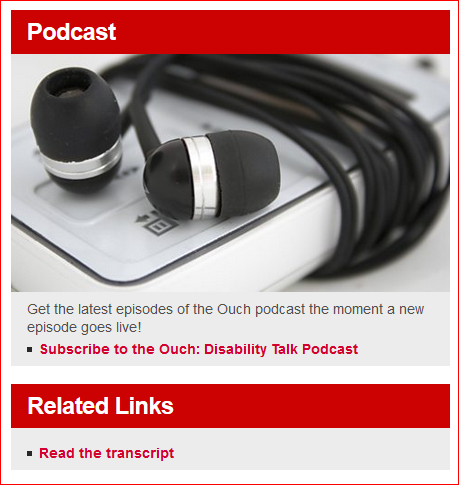
-
Manually verify that the text transcript includes all key non-spoken information required for understanding the presentation.
The following screenshot shows the text of the transcript to compare with the audio from the podcast.
Transcript 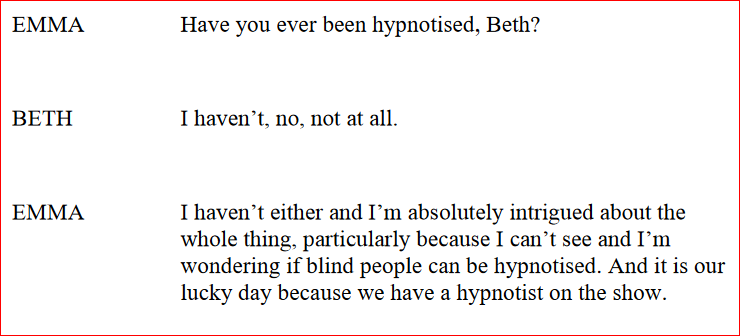
If the page contains video-only content (e.g. a video file, embedded video player, an SVG animation), ensure that there is either an alternative for time-based media (a descriptive transcript of what is presented in the video - including all on-screen text, description of actions happening in the video, animations, etc) or that there is a synchronized audio track available - for instance, as a separate video file including the audio, or there is a way to switch the embedded video player to provide the audio.
Input into spreadsheet
- Fail
- Video-only content does not have an adequate alternative. Record the nature of the failure:
- The video does not have a text transcript and no synchronized audio track.
- The text transcript does not adequately convey the visual content.
- The synchronized audio track does not adequately convey the visual content.
- Pass
- All video-only content has an alternative in the form of a text transcript, including all key visual information; alternatively, a synchronized audio track, which again reflects all key visual information, is available.
- N/A
- The sample has no video-only content.
How to test
- Manually verify that a text transcript of the information available in the video content is provided that does not require vision.
- Manually verify that the text transcript includes all key information that is visually presented in the video and is required for understanding the video.
- Manually verify if an optional synchronized audio track is available.
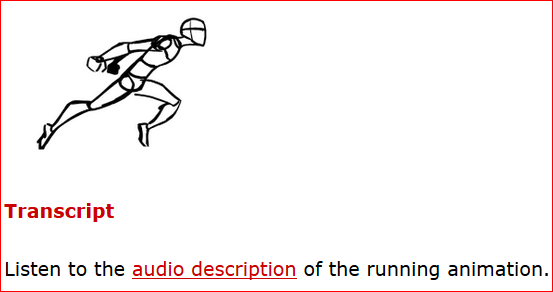
The following screenshot shows a video-only demonstration of how to run efficiently, followed by a link to an audio description of the video.